Pic2Report turns your phone into a document scanner, a report builder, and a PDF merger. Capture or import photos, clean them up automatically, and get a finished PDF in minutes.
No account needed · Everything stays on your device
Hero screenshot placeholder
The flow
One pipeline, three finished outputs
Every tool in Pic2Report starts the same way — the difference is what you do with the pages once they're clean.
01 — CAPTURE
Capture or import
Snap a photo with your camera or pull in existing images and PDFs from your phone.
02 — ENHANCE
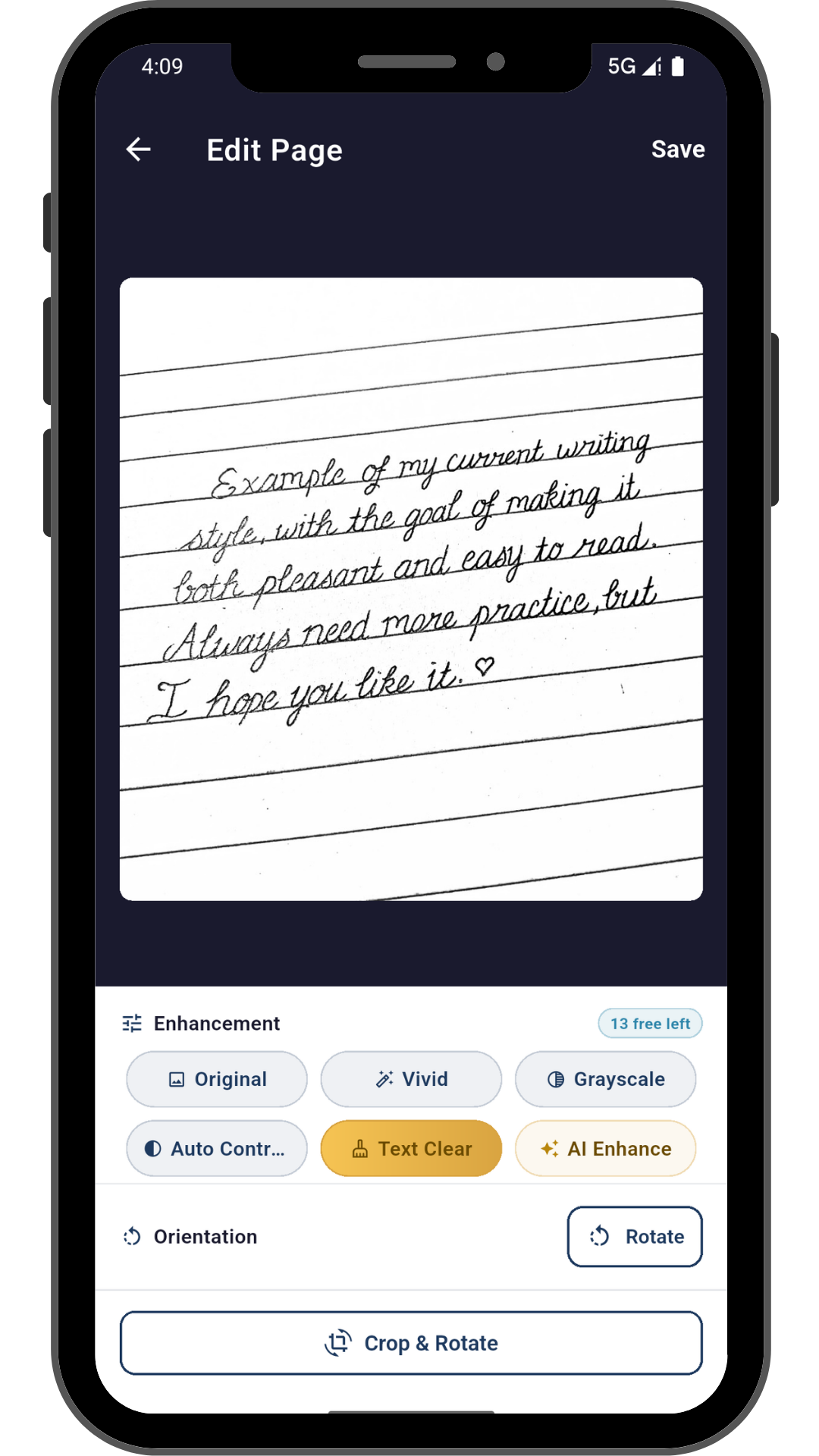
Auto-enhance
Contrast boost, grayscale, or true black & white, plus automatic cropping — no editing skill required.
03 — CHOOSE
Choose your output
A plain scan-to-PDF, a formatted report template, or a merge of files you already have.
04 — EXPORT
Export & share
Save the finished PDF to your device, or send it straight from the share sheet.
Three tools, one app
Pic2Report isn't just templates
Underneath, one capture-and-enhance engine. On top, three purpose-built tools that each solve a different job.
Pillar 01
Document Scanner
Capture or import photos and turn them straight into a clean, document-quality PDF — cropped, enhanced, ready to file. Not tied to any template, just the fastest path from photo to PDF.
Scenario — a stack of paper receipts becomes one crisp black & white PDF for your expense folder, in under a minute.
Pillar 02
Report Builder
The same capture-and-enhance pipeline, fed into a purpose-built template — so the output is a structured, formatted report instead of a raw scan.
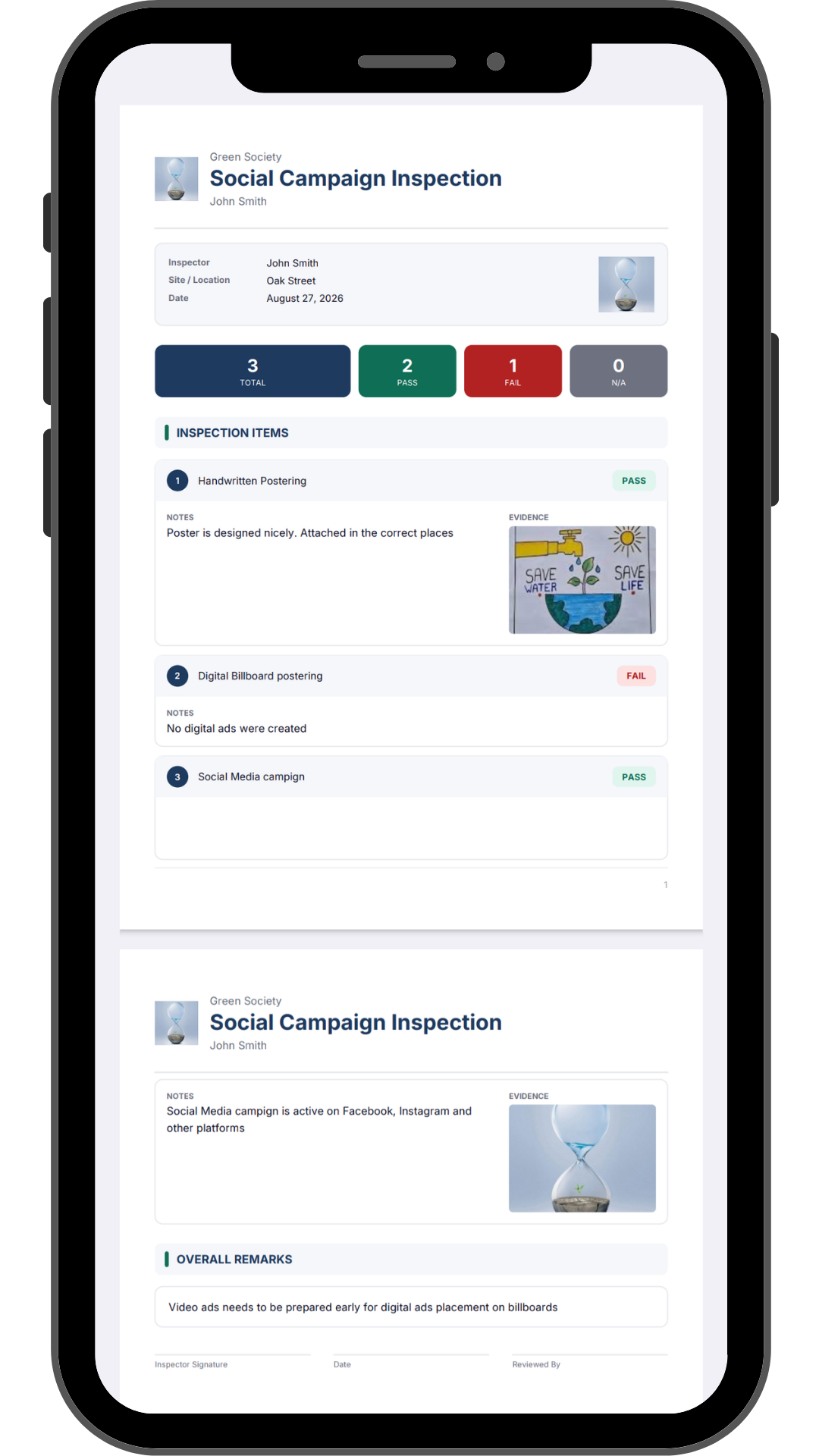
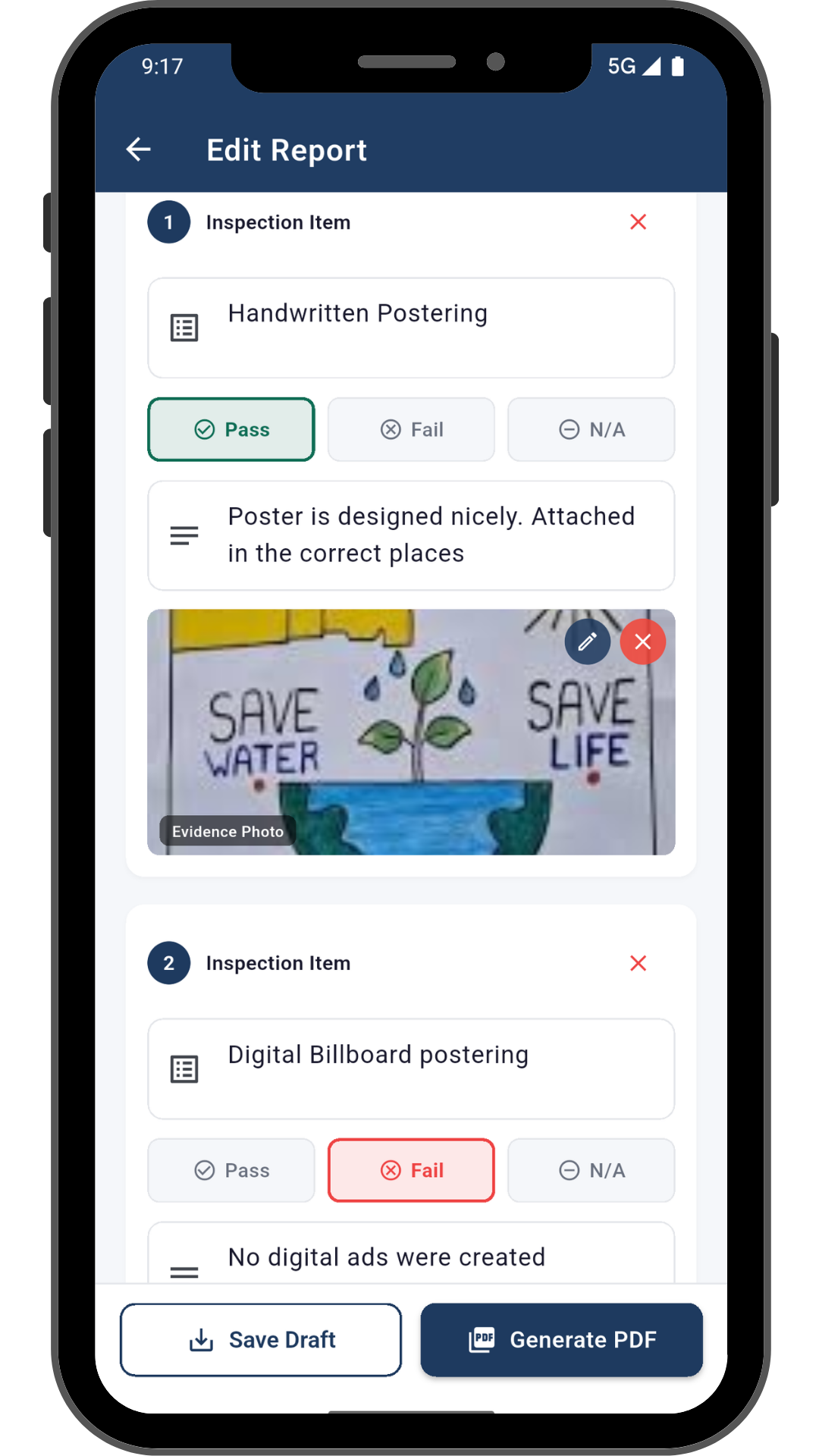
Scenario — an inspector photographs six issues on a job site and gets a formatted checklist report with photo evidence attached to each item.
Pillar 03
PDF Merge
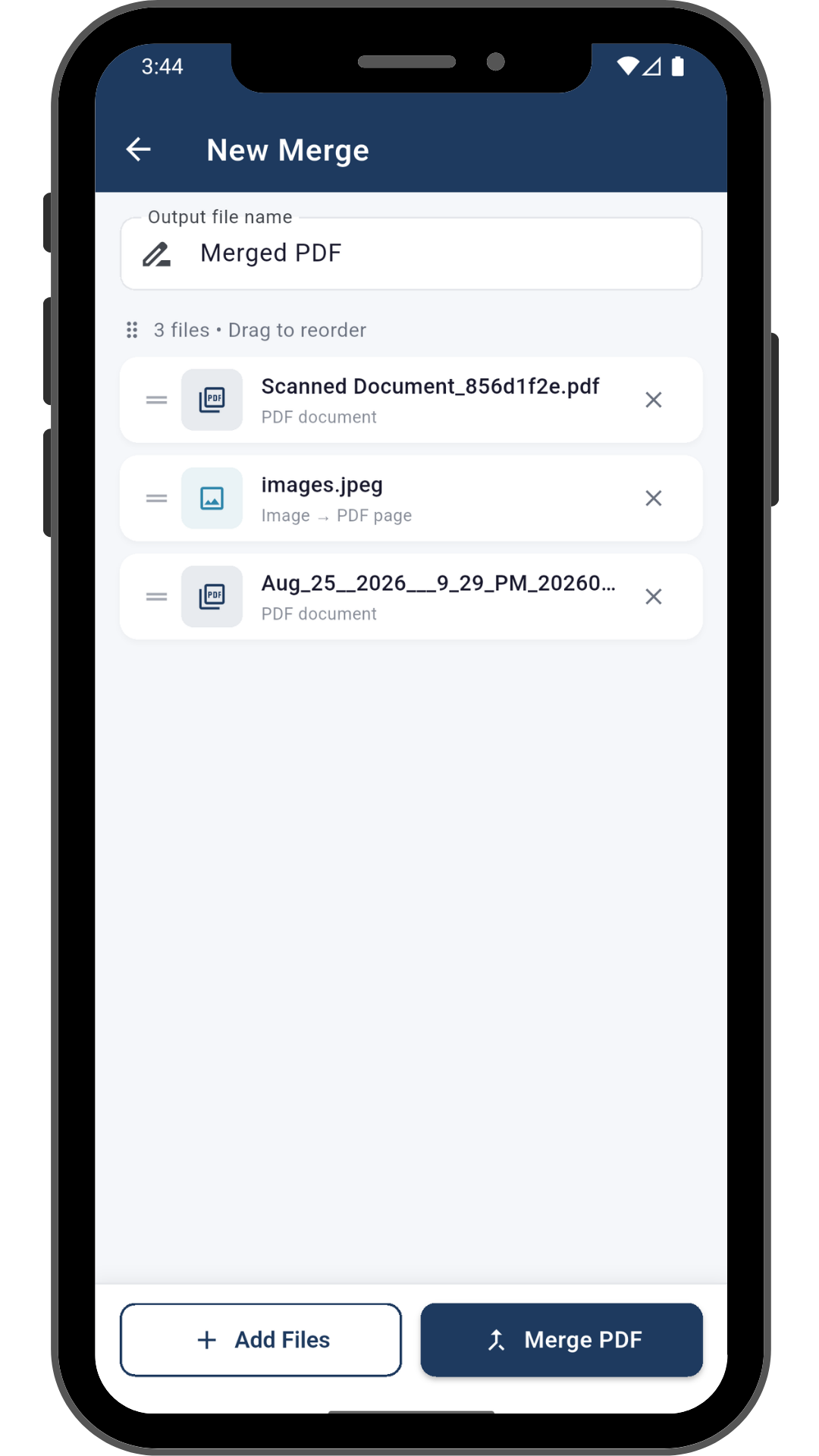
Combine multiple existing PDFs and/or images into a single PDF — independent of the scanner and the templates.
Scenario — a contractor stitches together five separate site-photo PDFs and a signed estimate into one packet to email the client.
Inside Report Builder
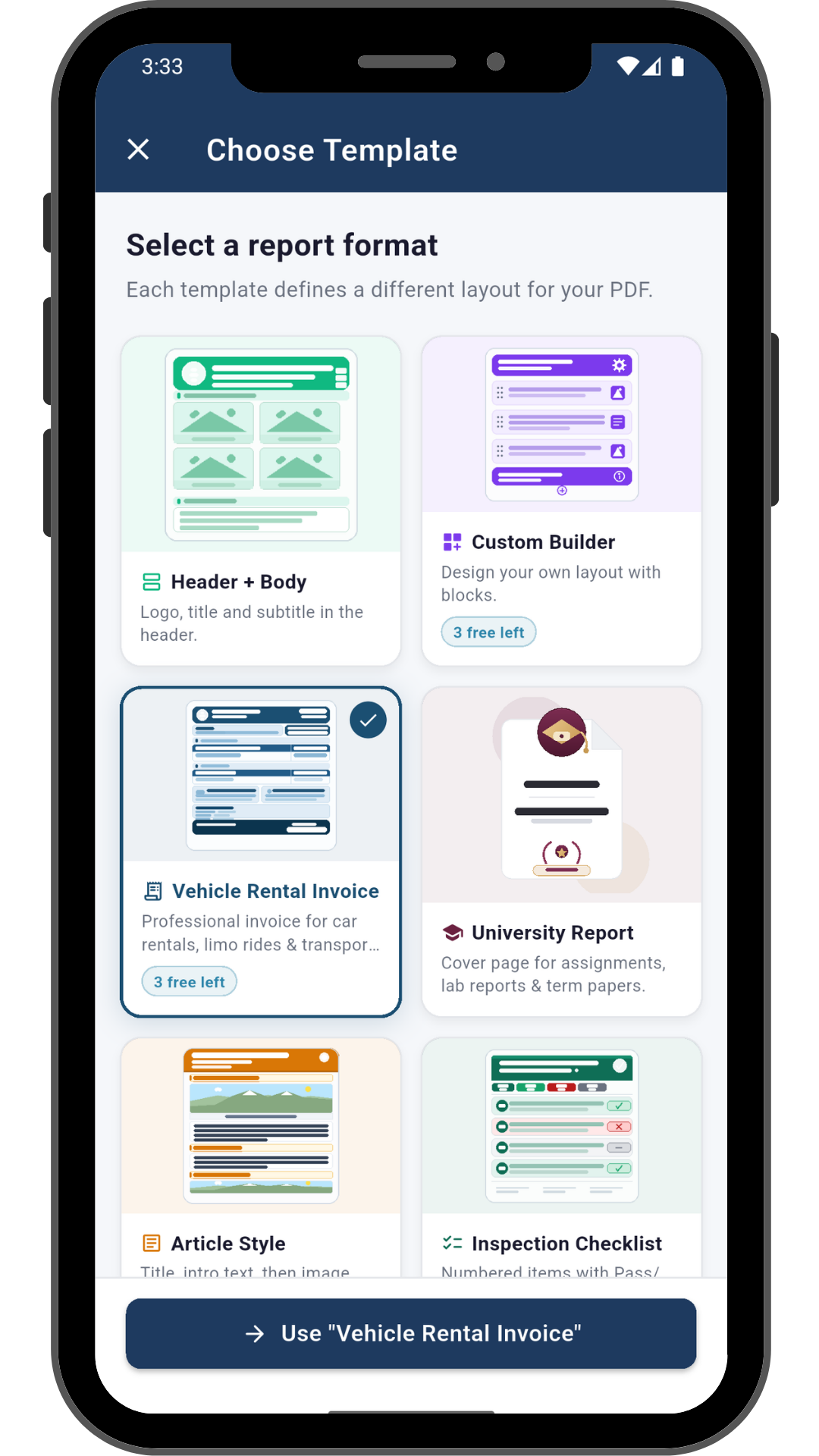
Eight templates, one purpose-built for your job
08 layouts
Classic Report
A clean multi-image grid with captions — the everyday default.
Article
A long-form, blog-style layout for photos that need real context.
Header + Body
A structured business-report layout with a clear top section.
Header + Body + Footer
The same structure, with a footer for sign-offs or references.
Full-Page Image
One hero image per page, for when the photo should speak alone.
Inspection Checklist
Pass / fail / flag items with photo evidence, built for site visits.
Before & After
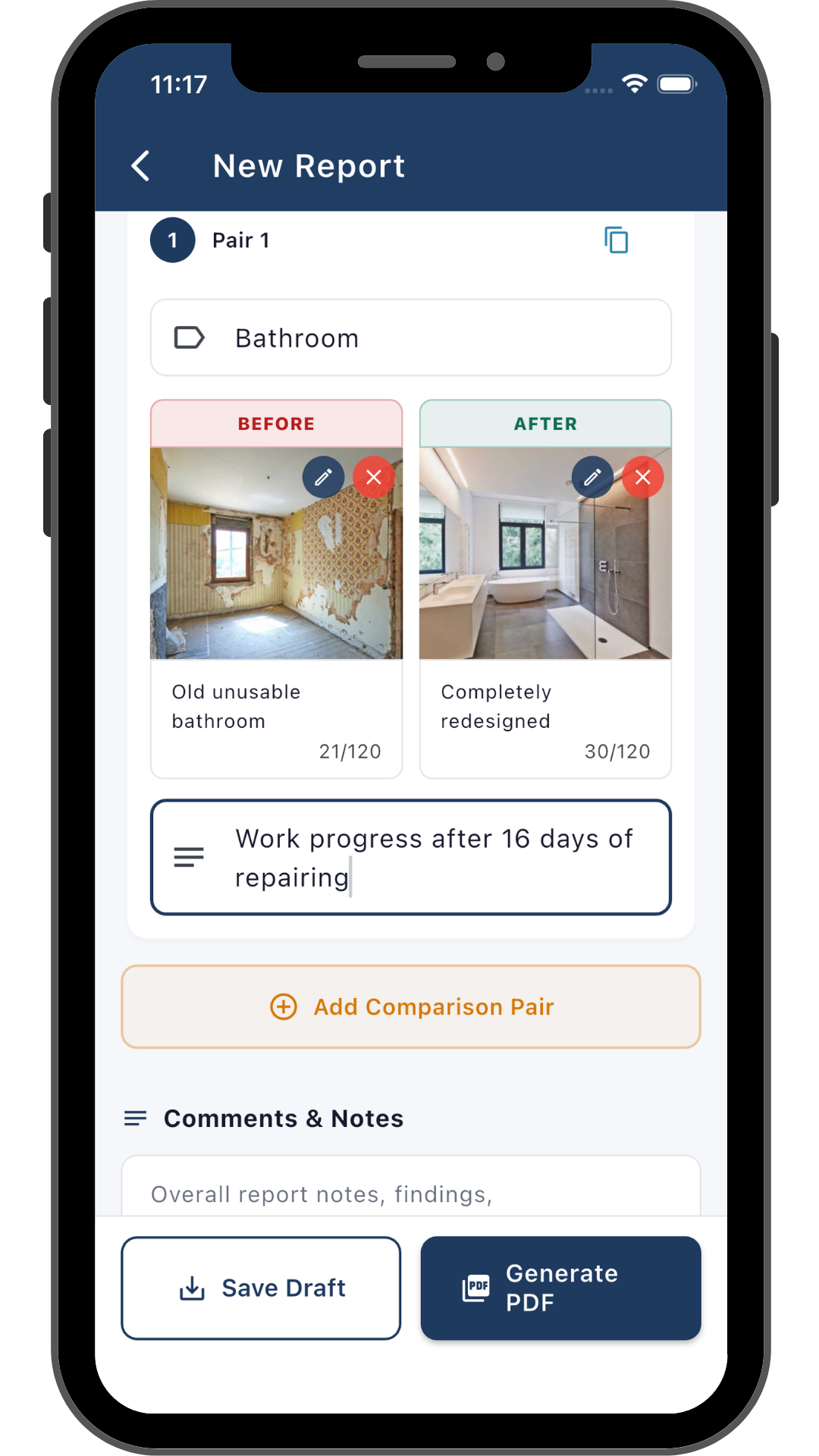
Side-by-side comparison pairs, built to prove finished work.
University Report
An instant, properly formatted academic cover page for assignments.
Who it's for
Built around real jobs, not a generic feature list
Four kinds of people reach for their phone instead of a desk scanner — each for a different reason.
Students
Scan lecture notes and handouts, then drop straight into a properly formatted university cover page for your assignment or lab report.
ScannerUniversity Report
Field inspectors & auditors
Walk a site once, photograph every item, and leave with a pass/fail/flag checklist report with photo evidence already attached.
Inspection Checklist
Contractors & renovators
Prove the work with side-by-side before/after pairs, then merge site photos and paperwork into one packet for the client.
Before & AfterPDF Merge
Everyday users
Turn paperwork or receipts into a PDF in seconds, or combine PDFs you already have without opening a laptop.
ScannerPDF Merge
A closer look
See all three tools in action
See how Pic2Report turns photos into polished reports, clean scans, and merged PDFs.
Scan & enhance
Template picker
Finished report
Merge PDFs
Inspection checklist
Before & after
Get Pic2Report
Free to download, with an optional Pro tier. All your scans, reports, and merged PDFs stay on your device — no account required.
 Pic2Report
 Get it on Google Play